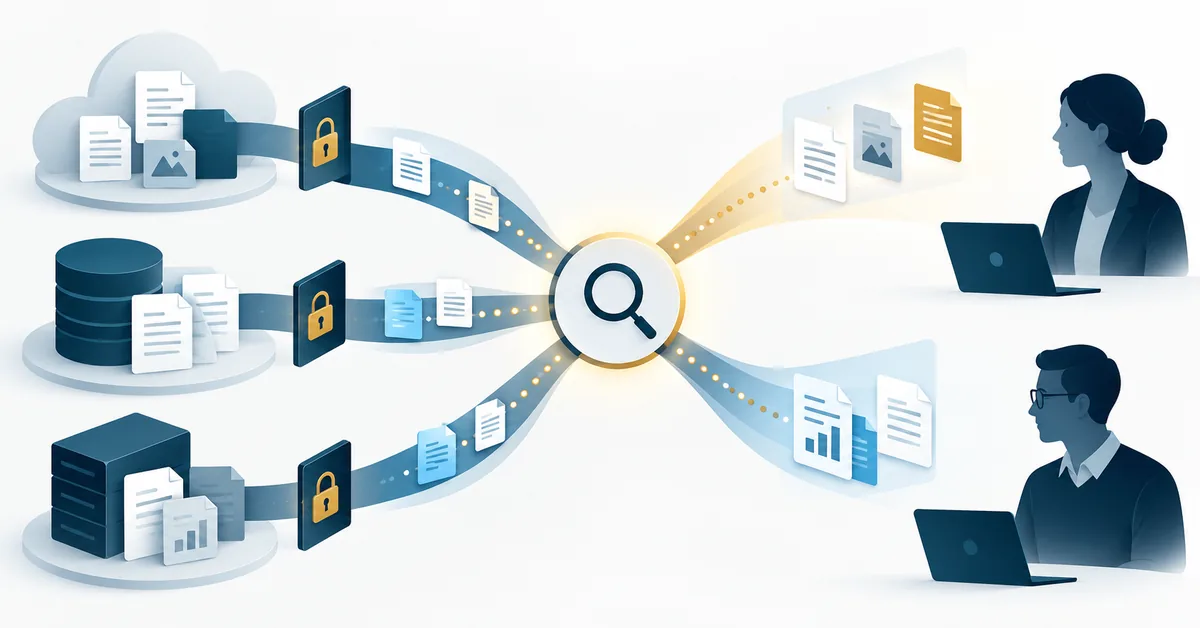
A business search assistant can return a convincing answer while the deployment team still has not settled a more basic question: should this person be able to retrieve that information at all? Connecting another repository is therefore a permissions decision, not just a search-quality upgrade.
This guide is for teams evaluating Gemini Enterprise connectors. It separates product editions, data movement and identity checks, then proposes a small access-validation exercise. CoreSecTech has not tested a customer deployment or demonstrated a vulnerability. The examples and featured illustration are conceptual.
Identify the product before borrowing its instructions
Start your configuration record with the exact edition, application and connector. Do not substitute a personal Gemini account’s Connected Apps instructions for a Cloud-managed Gemini Enterprise data store, or assume a Business edition screen matches a Standard or Plus deployment.
Google’s Business edition connector guide, updated September 16, 2026, describes connecting through Settings & help, selecting the team, then Manage team and Connectors. It also lists supported actions, which can include changes to connected systems rather than search alone. A connector labelled available does not establish that every user, action or source is approved for your organization.
For personal Gemini access and deletion questions, use the separate Connected Apps and data-retention guide. This article addresses a different question: how a business deployment decides what users may retrieve and do.
Separate data movement from access enforcement
The Cloud connector overview distinguishes federation, which retrieves from a source without copying content into the Gemini Enterprise index, from ingestion, which indexes copied data. Not every connector offers both methods.
Federation does not mean no information leaves the conversation boundary. Google warns that federated queries are sent to enabled third-party search backends and may include information from the request and conversation history. Ingestion creates a different concern: content, identities and deletions must be synchronized. The documentation says incremental sync does not sync identity data or entity deletions.
CoreSecTech’s analysis: neither route is universally safer or better. Write down the specific connector’s supported method, the data owner, the permitted query content and the documented synchronization behaviour before choosing one. A business requirement for fresh permissions is not satisfied merely by seeing a recent document-content sync.
| Question | Evidence to obtain | Weak substitute |
|---|---|---|
| Can the user enter the app? | Assigned user or group and the authenticated identity | The administrator can open it |
| Can that user retrieve this document? | Source permission, applicable ACL mapping and a scoped result check | The connector reports connected |
| Can the connector perform a write? | Supported action and granted authorization for that identity | The task sounded like a search |
| Has revoked access propagated? | Connector-specific identity/deletion sync information and a recheck | A newer content timestamp |
Use the right access-control evidence
Google’s Enterprise FAQ describes application access and connector-data access as separate checks for Standard and Plus. Its document-level access-control claims are vendor descriptions, not a certification of your configuration. Do not turn them into a promise that connecting a source needs no permission review.
Custom Cloud Storage or BigQuery sources need particular care. Google’s custom-source access-control documentation describes supplying document ACL metadata and creating an access-controlled data store. For unstructured Cloud Storage content, its example uses acl_info reader principals and the access-control setting during store creation. The procedure differs with the source and data format.
That is not an instruction to edit production ACLs blindly. Ask the deployment owner to show which documented setup applies, how user identities map to reader principals and what happens when source permissions change. Being able to ingest an object is not the same permission as allowing every application user to retrieve it.
A small exercise that can reveal a large assumption
Hypothetical validation exercise: create two harmless test documents with distinct, non-sensitive phrases. One should be available to both test users; the second should be restricted to the first user. Use actual separately authorized test identities—never impersonate a colleague or borrow credentials.
For each identity, first record the source’s expected access. Then ask the assistant for each phrase and inspect citations, excerpts and the linked source. A polished answer without a citation is not evidence that the expected document was retrieved. If the second user receives restricted test content, stop expanding the rollout and investigate the mapping with the responsible administrator.
After an approved permission change, repeat the same questions using the documented synchronization process. Record the elapsed time and observed result, without inventing a universal propagation threshold. Do not use payroll, medical information, customer secrets or real access tokens as test material.
This exercise is a proposed acceptance method. Passing it demonstrates only those tested cases; it does not prove that every document, group, action or future synchronization event behaves correctly.
Do not troubleshoot a missing result by expanding access
If an expected document is absent, inspect the exact source, connector mode, store attachment, identity and sync status before granting broader permissions. Compare the source object with the intended indexed or federated entity. Keep “not retrieved,” “not allowed” and “not synchronized” as separate hypotheses until evidence narrows them.
If retrieval works but the answer is inaccurate, that is a different evaluation. Recheck the cited source and question wording; wider access does not establish better reasoning. Likewise, search success does not authorize an assistant to send a message, update a record or delete a task.
The deployment decision
Proceed when the team can explain the product edition, data path, reader permissions, supported actions and revocation process with evidence. Hold a broader rollout when one of those remains unknown. The useful outcome is not the largest possible collection of connected data—it is a searchable collection whose access boundaries the organization can justify and verify.