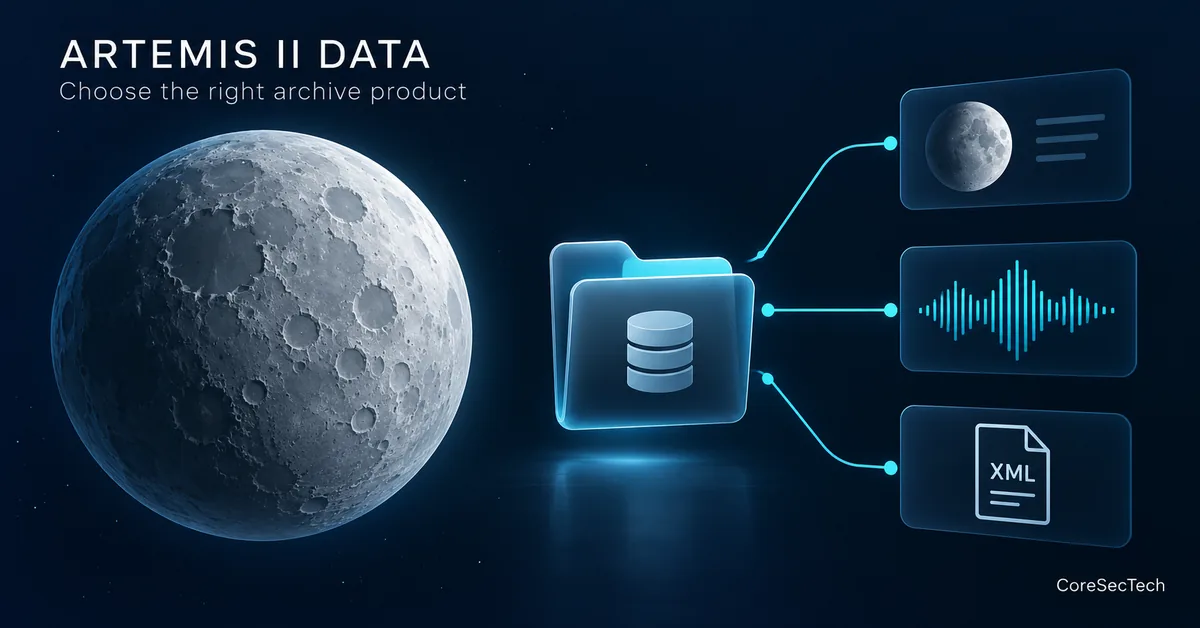
NASA has released Artemis II lunar science data, but the most useful first step is not downloading everything. Decide whether you want a photograph to inspect, a recording to hear, or an observation to analyse. Those goals lead to different files—and different limits on what you can conclude.
NASA’s 7 October 2026 release announcement describes more than 800GB of data, including over 11,000 full-resolution images and video, 8.5 hours of audio and crew-annotated images. This guide explains how to start with a small, documented selection rather than treating the archive as one giant photo gallery.
Scope: CoreSecTech checked the official archive pages, Archive Explorer and data guide. We have not downloaded or independently validated the complete dataset, calibrated its images or reproduced NASA’s scientific analysis. The download workflow below is our practical recommendation; the featured image is a conceptual illustration, not mission photography.
1. Choose your question before choosing a bundle
Start at the PDS Geosciences Artemis II index. It routes camera and audio products to the Imaging Node, mission documents and environmental data to Geosciences, and navigation information to the SPICE archive. Use that index as the entry point when availability changes.
| Your goal | Start here | Check before proceeding |
|---|---|---|
| Inspect an astronaut’s photograph | Crew camera bundle | Which product and processing level you need |
| Inspect a spacecraft-camera view or video | Orion camera bundle | Camera identity and observation time |
| Follow what the crew said | Mission audio bundle | Recording, transcript and annotation context |
| Understand file conventions | Mission bundle documentation | The current data guide and release notes |
| Attempt a geometry-dependent analysis | SPICE availability information | Whether the required navigation products are released |
For example, “find a view of a particular feature” is a manageable browsing question. “measure that feature’s physical dimensions” requires additional information about viewing geometry, scale and processing. Do not let an attractive thumbnail quietly change the question you are answering.
2. Check what is actually available today
The Geosciences index identifies 7 October as the first delivery. At our 8 October check, it still marked the SPICE bundle as delayed. “Data released” therefore does not mean every planned supporting product is available.
The mission bundle page also lists delayed documentation, including a Nikon lens-distortion-correction document. It says the Preliminary Lunar Science and Operations reports will be added after their public release through NASA’s technical reports server. A report being available on a NASA webpage and being present in that bundle are separate checks.
If a required supporting file is missing, record the limitation and return to the release page later. Do not substitute an unrelated mission’s navigation data or an approximate screen measurement simply to complete an analysis. For casual image viewing, missing geometry products need not stop browsing; for a quantitative result, they may be decisive.
3. Do not treat source, raw, processed and browse as synonyms
The Artemis II Lunar Science Data User Guide, especially sections 4–5 and Tables 13–14, distinguishes the camera products. For crew cameras, source products are Nikon NEF files; converted raw products are TIFFs; processed products are also TIFFs; browse products are PNGs derived from processed images. Browse is intended for quick inspection where scientific analysis is not required.
| Product choice | Practical starting use | Do not assume |
|---|---|---|
| Crew browse PNG | Find the observation you want | Its displayed colour or pixel values establish a scientific result |
| Crew source NEF | Investigate the original camera-format product | A normal image viewer can interpret it correctly |
| Crew raw or processed TIFF | Work with a documented product in suitable software | The two processing levels are interchangeable |
| Orion browse/source image | Inspect the relevant spacecraft-camera product | Its collection name has exactly the same meaning as crew browse |
There is an important Orion exception: the guide explains that its browse/source collection includes original JPEG and PNG source images, classified as browse in PDS4 because of their compressed formats. Do not generalise the crew-camera pipeline to every camera.
Our recommendation is to use browsing to shortlist an observation, then consult its documented product type before choosing a download for further work. Selecting a larger file is not, by itself, a method for making a more accurate interpretation.
4. Build a small, traceable download set
- Open the crew-camera Archive Explorer or follow the appropriate bundle from the mission index.
- Choose one observation relevant to your question. Read the product information before adding unrelated files to a download.
- Save the chosen data file and its associated PDS4 XML label. Keep their original names and pairing.
- Record the archive link, product identifier, version and download date in a short note.
- Keep an untouched copy. Put resized, annotated or otherwise transformed copies in a separate working folder.
- Confirm that your software can open this product correctly before collecting a larger batch.
The guide describes detached XML labels carrying product identification and metadata. Retaining the label makes it easier to check what you downloaded later. A renamed image floating in a presentation folder is much harder to trace back to the specific archive product.
Your note can be simple: question, bundle, filename, identifier/version, observation time as documented, processing level, label filename, retrieval date and any changes you made. Leave a field marked “not established” when you cannot verify it. Do not silently replace an observation timestamp with the release date.
5. Keep recordings, edited highlights and annotations separate
NASA’s preliminary science report webpage explicitly says its embedded audio has been lightly edited for length and clarity. It also identifies an annotated crew-tablet image as a simulation. These are useful explanations, but neither should be mistaken for an unedited recording or a direct camera observation.
For a statement about what was said, locate the corresponding archive recording and transcript, and note their time context. For a statement about what was photographed, identify the camera product. If you are explaining an annotation, label it as an annotation rather than suggesting the added markings existed on the Moon.
This separation also helps avoid a common error: using a highlight clip to imply the absence of discussion that may exist outside that edited segment. A short explanatory webpage is not a complete record of the mission.
6. State the limits before drawing conclusions
- A visible difference is not automatically a physical change. Different viewing conditions, processing or display choices can affect an image’s appearance. Establish comparability before making a claim.
- A sharp-looking preview is not a measurement method. Keep descriptive viewing separate from quantitative analysis.
- An available file is not independently verified science. Access to the archive enables investigation; it does not validate your interpretation.
- A missing dependency is a limit, not a blank to fill. If your method needs an unreleased document or navigation product, state that requirement.
For a classroom presentation or personal exploration, a correctly attributed browse image and a clear explanation of its context may be enough. For a technical comparison, keep the product metadata and method available so another reader can inspect your choices. The level of evidence should match the strength of the claim.
Quick checklist before downloading more
- I can state the question this file will help answer.
- I selected the correct camera, audio or mission bundle.
- I checked current release limitations.
- I know whether the product is source, raw, processed or browse.
- I retained its XML label and identifier/version.
- I kept the original separate from my working copy.
- I will not present a simulation, edited highlight or conceptual illustration as observed evidence.
Begin with one well-documented observation. Expand only when you know which additional products your question requires. That is more useful than a large download whose provenance and processing you cannot explain.